Ask for anything
Send an idea from Profile → Send feedback, or on our contact page. No idea is too small or too wild.

AI video editor for iPhone
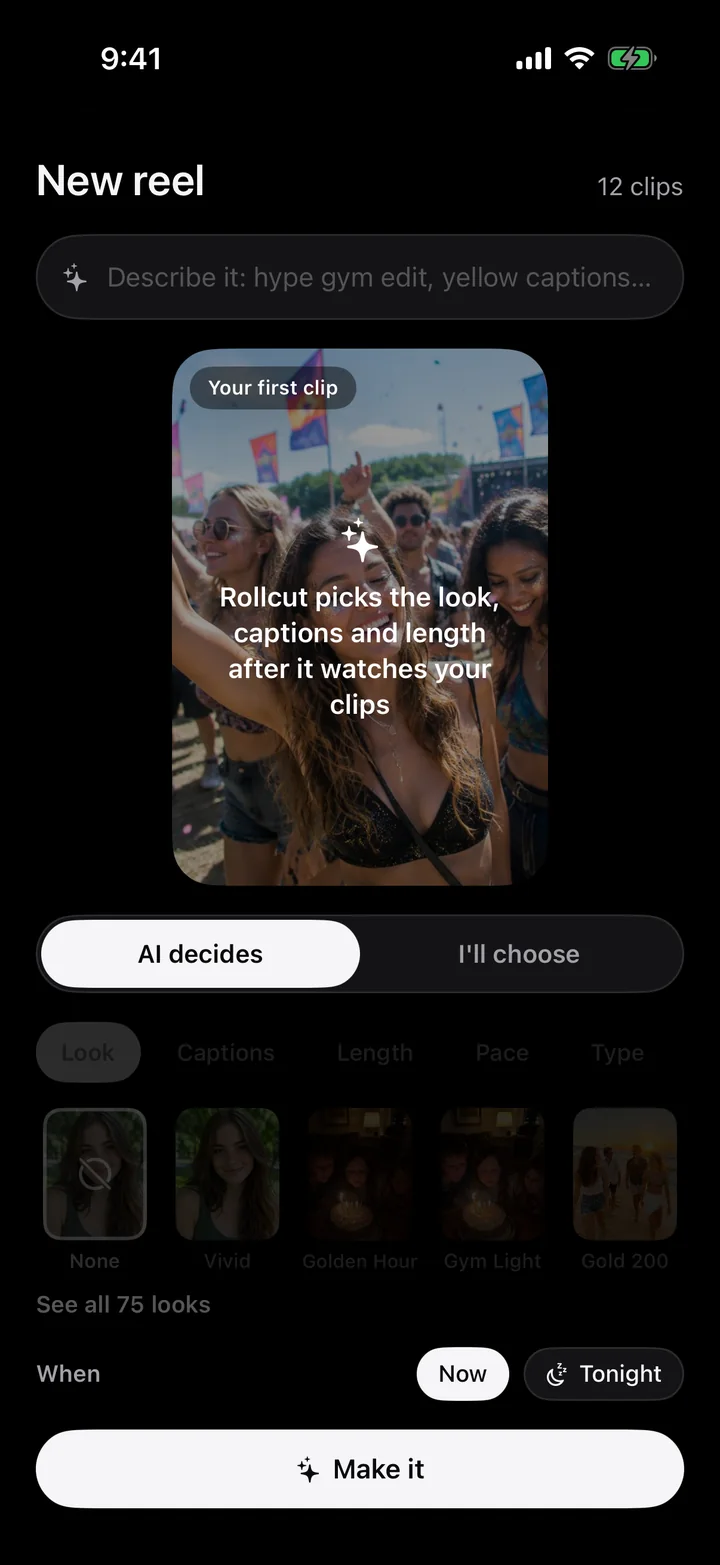
Pick your clips. Rollcut finds the best moments, cuts them to the beat, and hands you three finished versions in about a minute.
Drop in your clips. Rollcut watches every shot, keeps the moments worth posting, and cuts them to the beat. Captions follow your voice. The ums disappear. All of it on your iPhone, in about a minute.
Time back
What a 30-second reel from 40 clips usually takes by hand, next to Rollcut. Scroll to race them.
Three finished versions. Your coffee's still hot.
By-hand times are typical estimates for a 30-second reel made from 40 clips. Rollcut's time depends on your iPhone and how much footage you pick.
How it works
Up to 100. Let the AI decide everything, or choose the length, look and captions yourself.
Every frame is scored for sharpness, faces, movement and sound. Keepers light up red as it goes.
Fast and fun, story order, or slow and warm. Tweak anything, then save or post.
Talking to camera?
Rollcut hears where you actually speak. Filler words, dead air and the takes you said twice are cut, and the jump cuts get a subtle punch-in so nobody notices.
A real 24-second take, cleaned to 11 seconds. Scroll to watch it tighten.
75 looks
Vintage, film stocks, black & white, cinematic grades, and looks that rescue dark gym and night footage. Then fine-tune twelve controls by hand.
NaturalClean1 / 75

Captions that move
Pop, karaoke, spotlight, neon, comic, handwritten and more. Timed to the syllable on your phone, and words never break across lines.
The editor
Swipe between three edits, try a look with one tap, trim on a real timeline. Every change plays back instantly, right on your phone.
27 templates
Built with you
Rollcut is made by a small team, and we read every message ourselves. Tell us what's missing, what's broken, or what you love. Your feedback decides what we build next.
Send an idea from Profile → Send feedback, or on our contact page. No idea is too small or too wild.
Profile → Report a bug attaches your app version and device for you, so we can fix it fast.
When something you asked for ships, we'll tell you in the app's What's new.
From creators
Rollcut edits on your iPhone. No upload queue, no waiting on a server, and it works on a plane.
Pricing
Rival apps charge credits per video. Rollcut edits on your iPhone, so every plan is unlimited.
$14.99/month
or $6.67/month billed yearly
$29.99/month
or $16.67/month billed yearly
$39.99/month
or $33.33/month billed yearly
Or start free: 3 reels every week, with a small Rollcut watermark. No card needed.
Swipe to compare plans
No. Analysis and editing happen on your iPhone. Your clips never leave it.
Trips, gym sessions, events, family moments, product shots, and you talking to camera. It picks a montage or a talking-head cleanup automatically.
Yes. Swap between three versions, change the look, captions and pace, trim or reorder moments, or record a voiceover.
Any iPhone on iOS 26. The smartest features use Apple Intelligence on iPhone 15 Pro and newer.